
Cedar Clerk v0.7.0 (Now in Two Languages)
I decided to write a big, long, and uncut post about the progress of my blogging platform, which I named Cedar Clerk.
I TRIED VERY HARD to write everything in the simplest possible language, so that absolutely anyone could understand the meaning.
Several of my American acquaintances turned out to be interested in my stories and the idea of the project. Besides that, a couple more people said that my SaaS is exactly what they'd been missing. Even my former boss wrote to me and said the idea is fire! 🔥
SaaS (Software-as-a-Service) refers to websites (so-called services) that developers like me create and host on the Internet to provide users with some kind of digital service. In my case, I provide a service for creating "Content-rich articles".
Monetization
I suppose Telegram will soon roll out a cool editor for channels inside the app, but a friend told me the other day: "Strike while the iron is hot." So I decided to get to the forging 😀
I decided to seize this moment and, at the same time, learn various payment systems. Before this, I had only worked with payment processing in Google Play Store and AppStore, when I was developing mobile games.
Now I'm thinking of hooking up Stripe, PayPal, as well as adding the ability to pay with TELEGRAM STARS ⭐⭐⭐⭐⭐
I don't want to rake in money out of thin air at all, so by default, the entire service is free! I cover the infrastructure costs out of my own pocket. This gives anyone (for now, by invitation) the ability to use my platform to post to the website and Telegram and to use the editor WITHOUT LIMITS.

But I'll gradually add premium features. Probably, to start with:
I'll limit the number of channels a "free user" can manage. And if premium — as many channels and chats as you want.
I'm thinking of adding some features to the Telegram bot itself; I need to think carefully about exactly what to put there. Possibly access to a Mini app, if I make such a thing. Possibly access to statistics.
I'm thinking of making scheduled posting a premium feature too. Ordinary users don't really need it that much.
AI stuff clearly goes into premium. Even access to the ability to add an API key to enable auto-translation is a premium feature. Ordinary users don't really need it either, though it's useful.
The ability to publish posts on the website is clearly a premium feature. After all, it's me who has to host and protect all of it...
For now, I think a reasonable price for a subscription is $3, or €3, or 200₽.
Share your thoughts on this!
Localization
Since Americans became interested in my blog, I decided to add a simple localization system to Cedar Clerk.
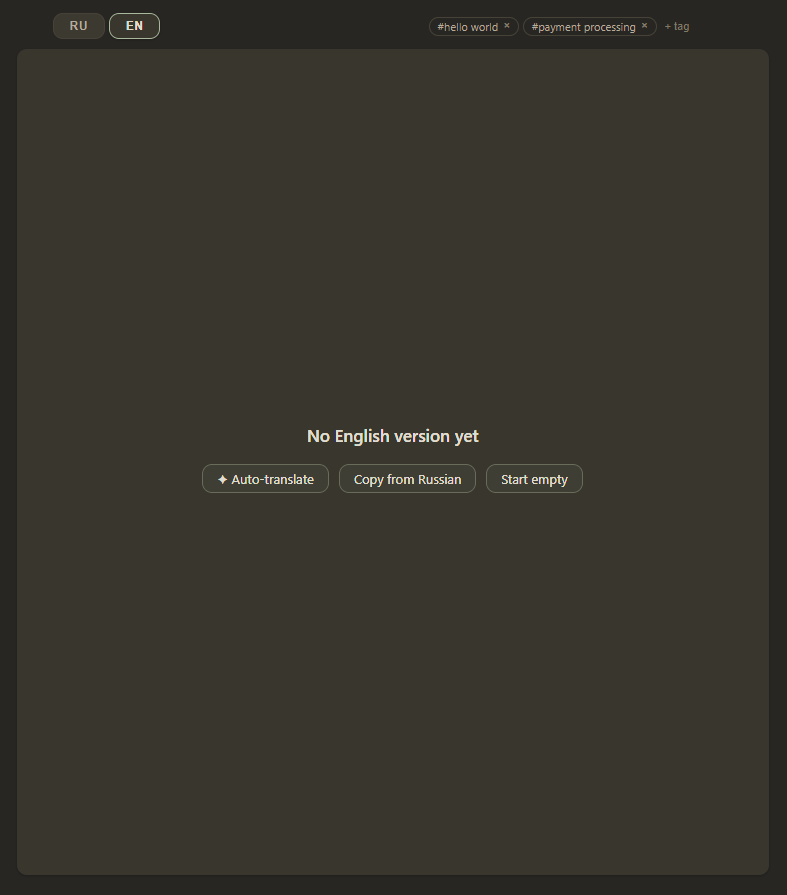
Roughly speaking, there's a tab with the Russian version of the post, and you can add an English-language version. Since I'm lazy and still often write awkwardly in terms of grammar, punctuation, and a limited vocabulary, I plan to add support for auto-translation using AI. Most likely, I'll need to add fields to the settings for entering API keys (from Claude, ChatGPT or DeepL Write/Translate).
Linking with a Telegram Account
Since this project is no longer purely a personal thing, there's obviously the task of making all of this unified. One of the solutions is to add a widget for logging in directly through Telegram.
So how does it work!?
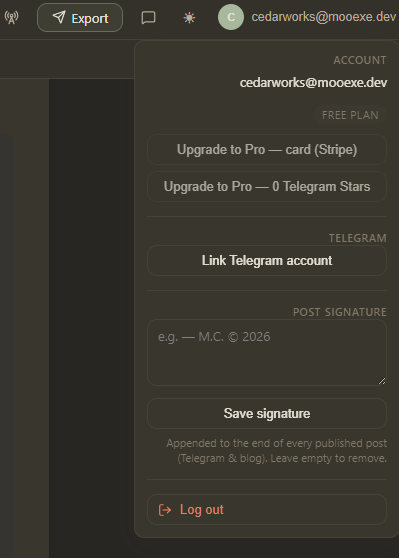
The user clicks the Link Telegram Account button, enters their phone number, confirms access (either via SMS or through a button in the Telegram app itself), and then grants permission to transfer the specified information.
Everything is encrypted-and-re-encrypted to the maximum, right down to the brains of the guests, and in fact I only receive ONLY a unique ID, username (the part after @), name, and avatar. This data is enough to obtain, through the API, information about all the channels to which the Cedar Clerk Bot has been added. Here there's also an additional check for the presence of the necessary rights for posting. I don't pass any other data anywhere to anyone. I'm telling it like it is :)
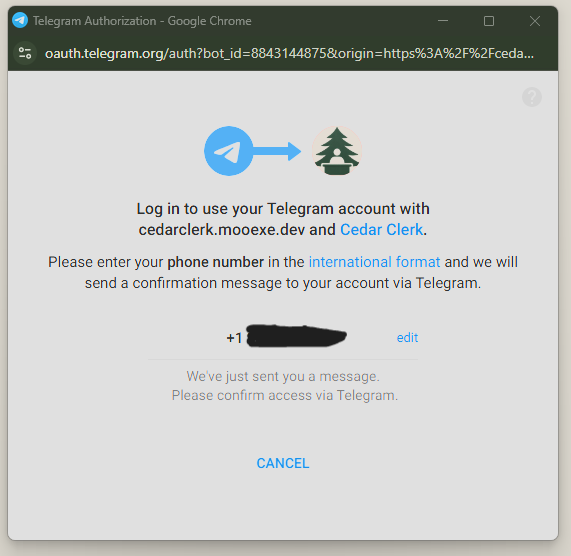
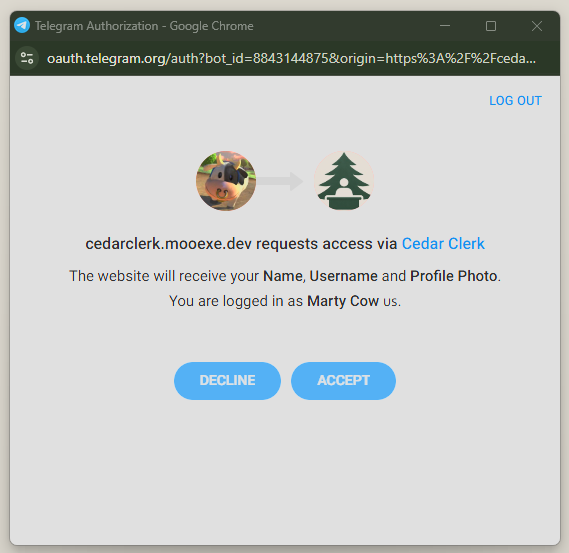
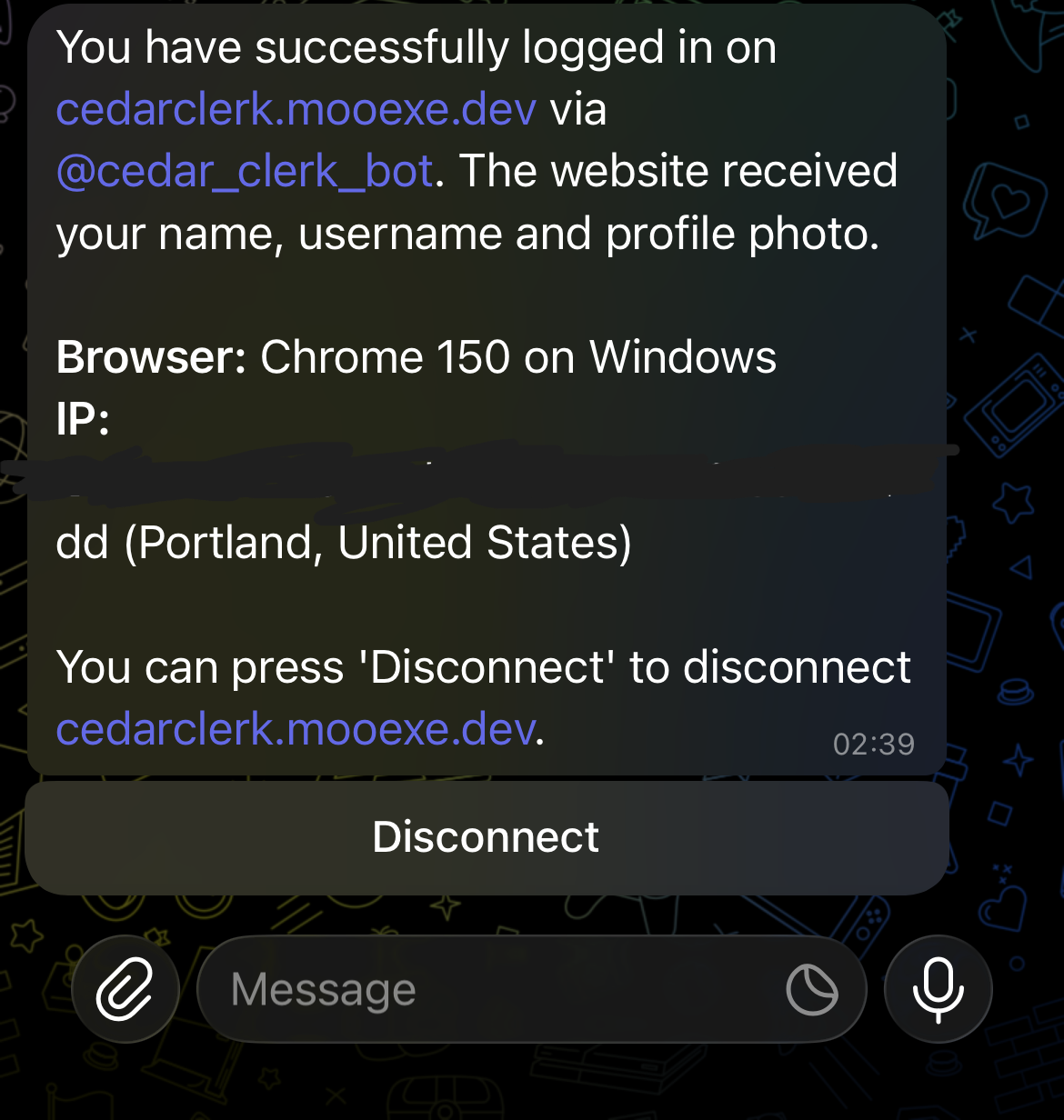
Besides the ID, nickname, and the rest, I also receive a resulting Hash (a hash sum) created based on this data. It's a kind of "fingerprint" — a mathematical sum based on a cryptographic algorithm. And it works one way. It's impossible to reconstruct the original data from the hash — doing so might require the power of all the computers in the world, as well as several hundred years of time. At the same time, the hash is, so to speak, unique for one and the same sequence of data.
Passwords are compared with each other and stored precisely in the form of hashes.
I take the received data and assemble it all into JSON:
// Здесь я по сути создаю так называемый "словарь" - каждому имени параметра я задаю // определенное значение.

var fields = new (string Key, string? Value)[]
{
    ("auth_date", data.AuthDate.ToString()),
    ("first_name", data.FirstName),
    ("id", data.Id.ToString()),
    ("last_name", data.LastName),
    ("photo_url", data.PhotoUrl),
    ("username", data.Username),
};

// Псевдокод конвертации словаря в JSON. На выходе я получаю текстовую строку
var dataCheckString = JSON.Convert(fields);
Then I create a secret key based on the bot token, using the SHA256 algorithm. Essentially, I get a "fingerprint" of the token. And that's because the bot token itself MUST NEVER BE GIVEN TO ANYONE ANYWHERE AT ALL! A compromised token must be destroyed as soon as possible! All API operations on the bot's side are performed precisely with the token.
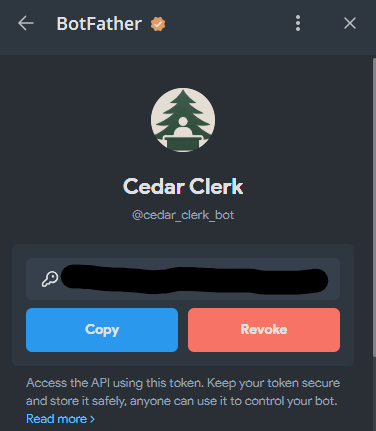
Then I hash the previously obtained JSON with the data using the key obtained via SHA256; and with the help of HMAC, I get a set of bytes:
HMAC is a so-called Hash-based Message Authentication Code. It uses a hash based on SHA256, but additionally encrypts it using a secret key... which in this case is the SHA256-based hash of the bot token.
// Токен моего бота - уникальный и им могу владеть я и только я. Он буквально на
// уровне ОС вшит в устройство, на котором работает мой сервер. Доступ есть только у // меня
var botToken = "...1234567890qwertyasdf...";

// Здесь я получаю последовательность байтов из моего токена бота.
// Для человека - это буквально белый шум из символов. Он не значит ровным счетом
// ничего
var secretKey = SHA256.HashData(Encoding.UTF8.GetBytes(botToken));

// Перевожу JSON-строку с пользовательскими данными в набор байт.
// Пока что, условно говоря, этот набор человеко-читаем
var dataBytes = Encoding.UTF8.GetBytes(dataCheckString);

// По факту здесь я создаю набор байтов для того, чтобы сравнить его с набором
// байтов, который мне вернул Телеграм API вместе с никнеймом и прочим
var computedHash = HMACSHA256.HashData(secretKey, dataBytes);
And then I simply check the received hash against the one computed manually. This way the server does 2 things:
It verifies that the message transmitted over the Internet was transmitted without changes. What was sent is what was received.
The sender of the message can be trusted
This is how I verify that the logged-in user is exactly the right user, and not some scammer, and accordingly I grant access to further actions.
List of Channels/Chats
I added the ability to add/remove channels and chats. Having linked with the user's account, I can check exactly which channels and chats the bot has access to. Essentially @cedar_clerk_bot must be added to the channel as an administrator, and it must have access to sending messages. THAT'S ALL! Now you can automatically get a list instead of entering channels manually.
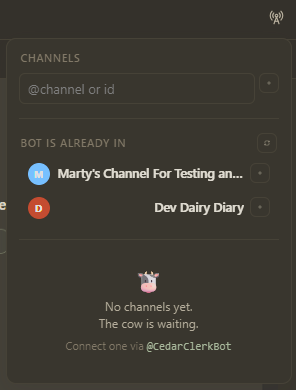
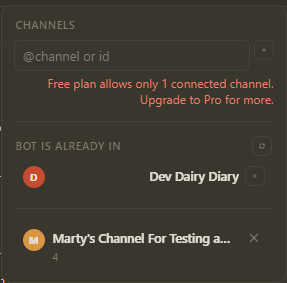
I also added an indicator of the number of subscribers on a channel. In general, by design, the server pings the API every so often and checks whether everything is OK. If not — it displays an error.
Signatures
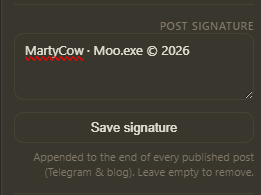
The usual ability to add a preset signature at the end of each post. Most likely, in the free subscription I'll add a non-removable "Made with Cedar Clerk" signature at the very-very end.
Reaction and Comment System
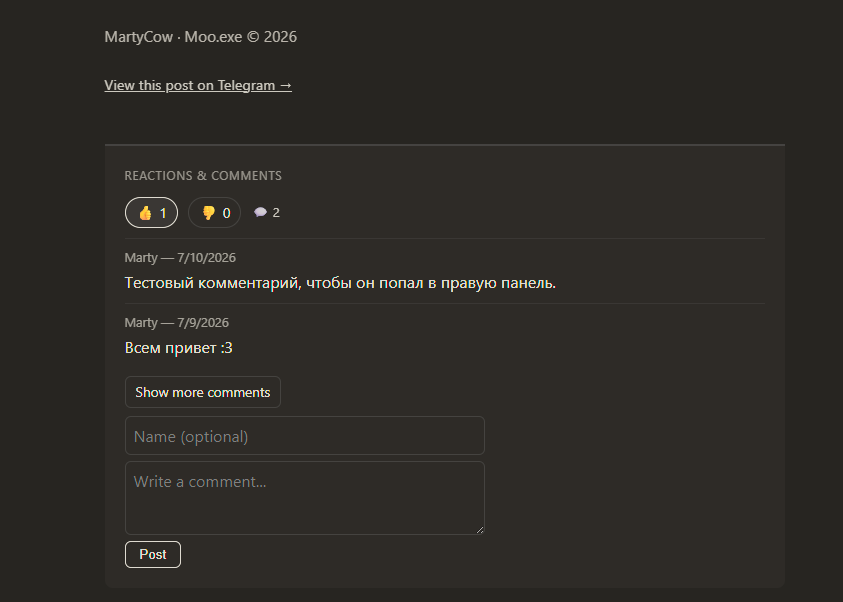
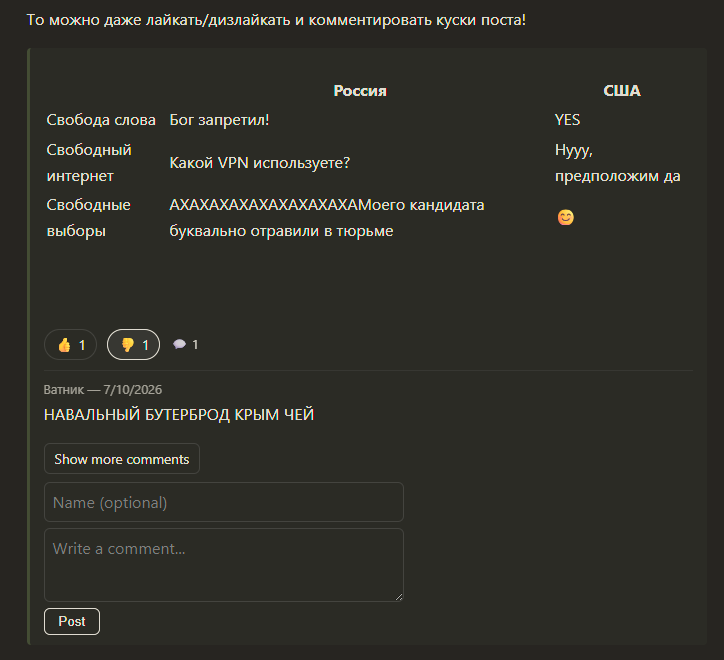
This thing is supported ONLY in posts published on the website. It's all quite simple. You can leave reactions (for now only Like and Dislike), as well as write comments. No moderation, just a check of the user's IP so they can't leave dislikes multiple times.
Initially, I wanted to make it so you could rate either the entire post at once:
Or some individual chunks of the post, which I frame in a special tag:
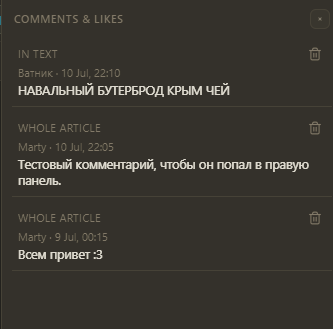
I added a right panel. When working with a post, you can open it and view the list of comments and reactions to the post. I'm thinking of moving all of this into a separate menu.
Export Panel
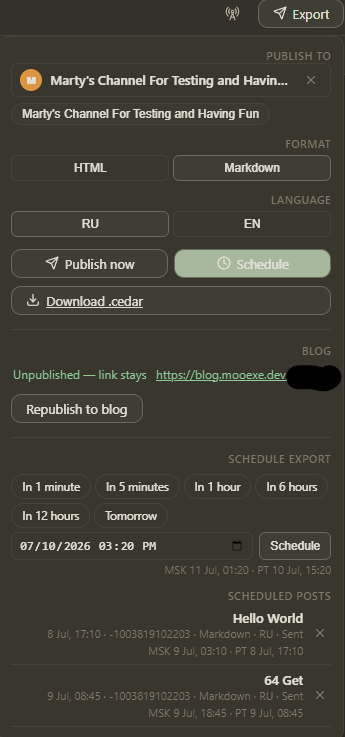
Just an export panel. It has existed since the very beginning of the project, and it's starting to grow a bit, so I need to split it and move it somewhere else. Essentially, when the user has finished a post, they can:
Post it to a Telegram channel or chat using the bot @cedar_clerk_bot
Post it to the website as an article. The article title is transliterated into a human-readable English equivalent so that the post has an understandable link.
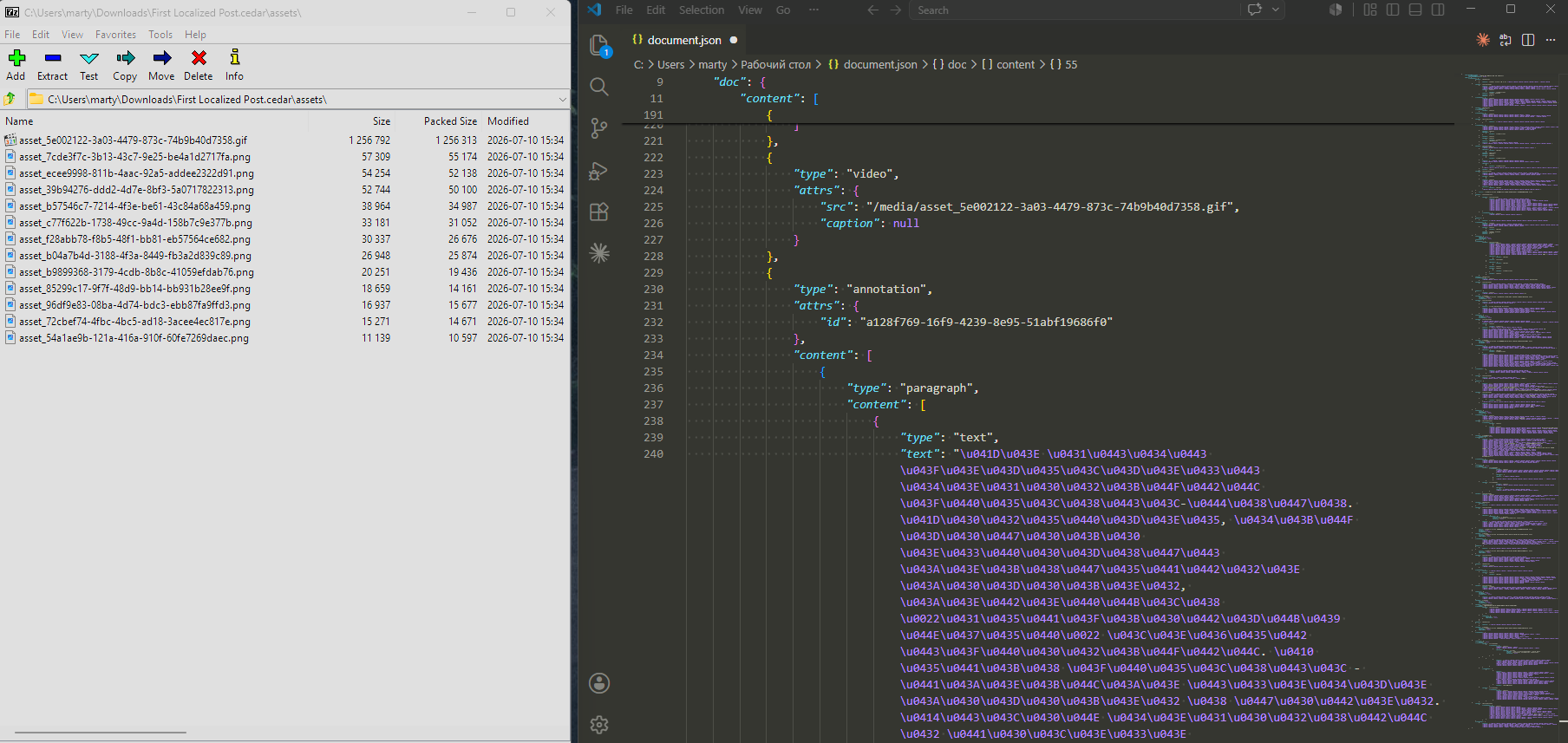
Export the entire post with all its content into a .cedar file. In fact, this is just a .zip archive that contains a .json file with the post's text, all tags, markup, and metadata. And then you can import it back. Why did I make this? I don't know! But I mostly wanted to leave the ability to somehow see the real content of a post.
Set up scheduled posting. For now it only works for Telegram channels and chats, but not for the website. You can manually select the date and time, or use convenient buttons to get a rounded nearest time. Roughly speaking, 03:17 turns into 03:20 when you click "In 5 minutes". Everything operates in UTC.
UTC (Coordinated Universal Time) is a single time standard without the influence of time zones. Servers and websites usually use precisely this time for calculations, but the user is usually shown their local time. For example, Moscow time is UTC+3 (that is, 3 hours more than UTC time), and in Portland it's UTC-7 (correspondingly, 7 hours less). Accordingly, the time difference between Moscow and Portland is 12 hours.
I'm thinking of making this menu as a set of checkboxes and all that. Because the checkboxes and buttons here clearly conflict with each other.
Tag System
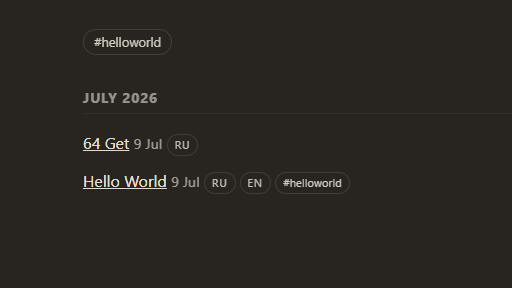
I just made a small system to tag posts with whatever tags you want:

And on the blog's main page these tags are visible and you can search by them:
Conclusion (What's Next?)
Thank you for reading the article to the end! I didn't think it would be this big, but this is essentially the FIRST article of its kind. And I decided to brag a little about what I've done.
I already have a big list of tech debt hanging over me, an extensive list of bugs, and a huge amount of work on the layout and server operation. But here's an approximate little list of future features:
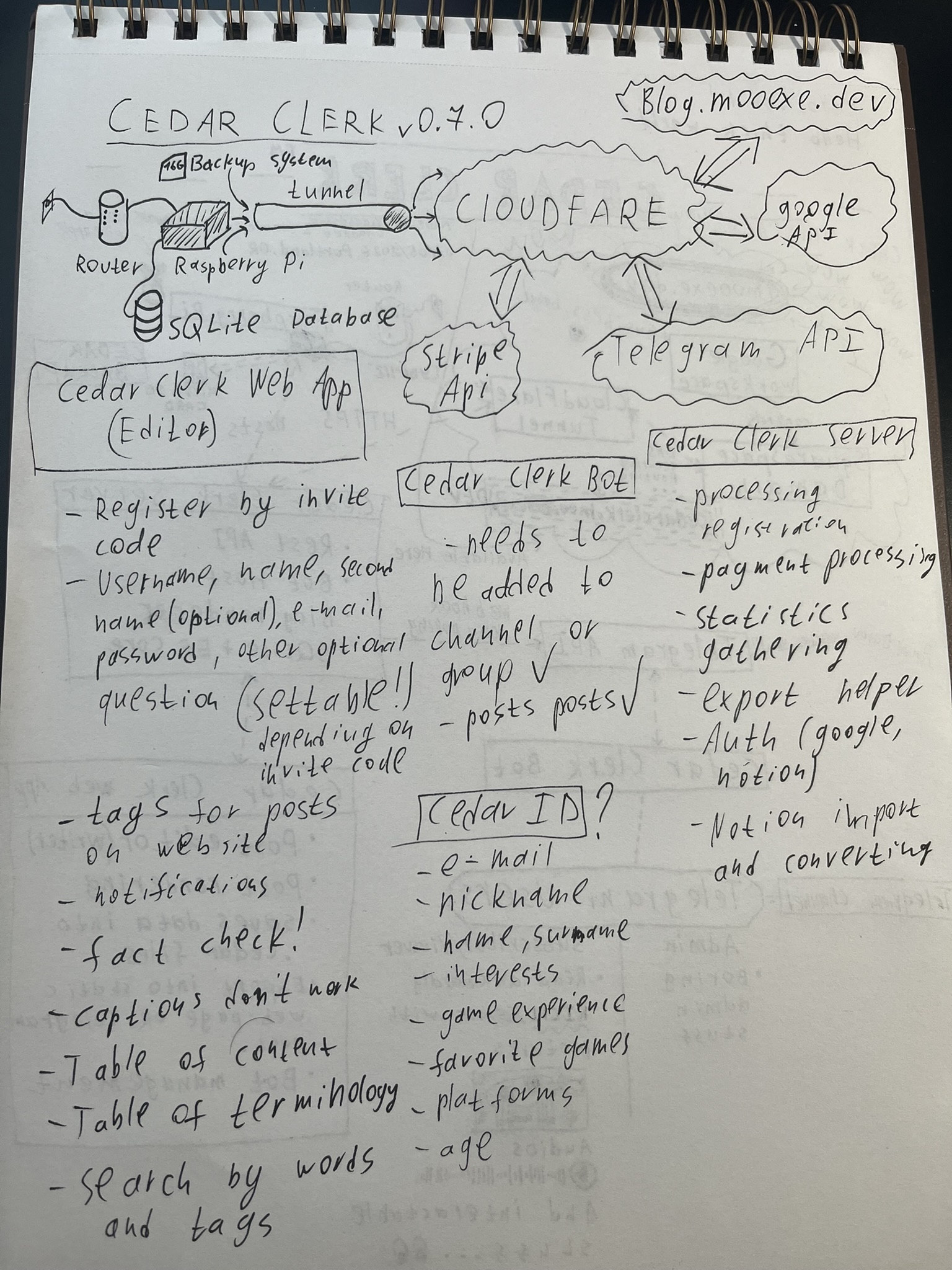
So, that's roughly how it is! Your opinion is very important to me. Does anyone need this? What are the drawbacks? What are the advantages? Write in, I'm interested in any opinion.
Stay Tuned!
